





TAGS: POPULAR
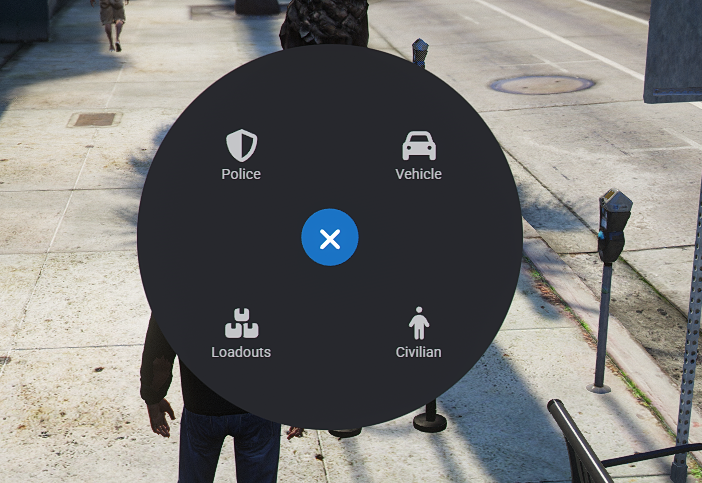
Upgrade your FiveM server with a clean, configurable, and feature-packed Interaction Menu built around ox_lib. This resource gives Police, Fire/EMS, civilians, and enhanced civilian users quick access to roleplay tools through either a radial menu or a list-style menu, depending on your configuration.
Designed for serious roleplay servers, this menu includes duty integration, prop placement, spike strips, panic alerts, player interactions, vehicle controls, loadouts, and more.
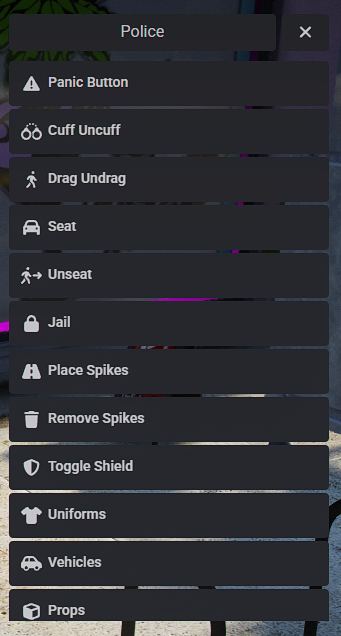
Give your law enforcement players the tools they need for immersive patrol gameplay.
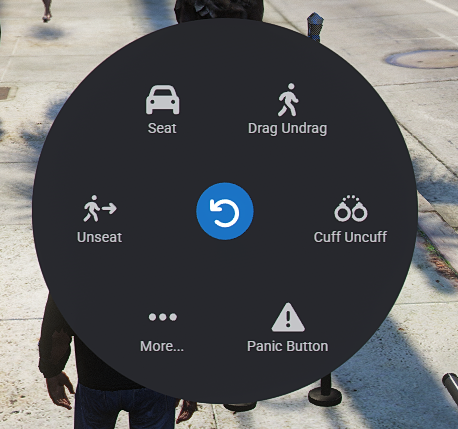
Panic button with alerts and blip support
Cuff / uncuff players
Drag / undrag players
Seat / unseat players in vehicles
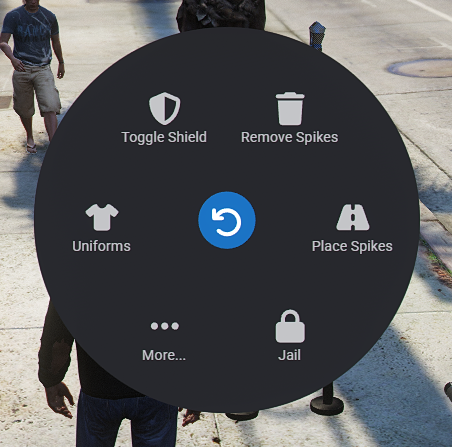
Jail system support
Spike strip placement
Remove spike strips
Ballistic shield toggle
Police uniforms
Police vehicle spawning
Optional vehicle spawn-code display
Police props
Police loadouts
Perfect for Fire and EMS departments.
Drag / undrag players
Seat / unseat players
Hospitalize / coroner workflow
Release from hospital / coroner
EMS props
EMS loadouts
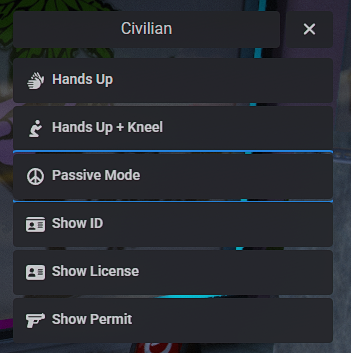
Useful civilian roleplay options.
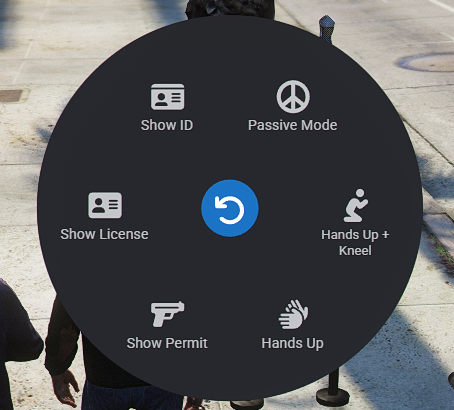
Hands up
Hands up and kneel
Passive mode
ID / license / permit command support
Civilian advertisement system
Optional expanded roleplay tools.
Take hostage
Drag / seat / unseat
Head bag / remove bag
Zip tie front / back
Remove zip ties
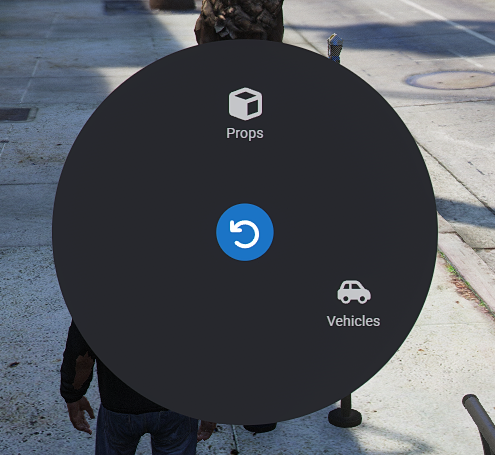
Props menu
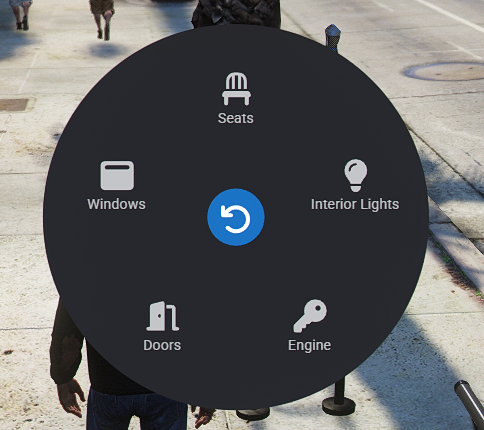
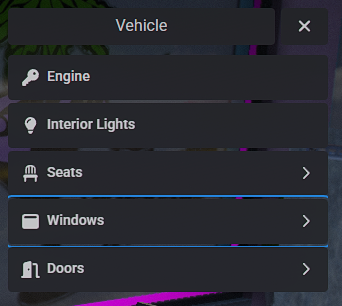
Quick vehicle controls directly from the menu.
Engine toggle
Interior lights
Seat switching
Window controls
Door controls
Hood and trunk controls
Props are handled through a clean ox_lib list/context menu instead of a cluttered radial submenu.
Players can select a prop, preview it before placement, then:
Press E to place
Press R to cancel
After placing a prop, the prop menu automatically reopens so players can quickly place multiple cones, barriers, signs, and other roleplay objects.
Spike strips use a preview placement system similar to props.
Select Place Spikes
Preview the spike strip before placing
Press E to place
Press R to cancel
Built-in configurable spike limits
Choose the menu style that fits your server.
Config.MenuType = 1
Options:
1 = ox_lib radial menu
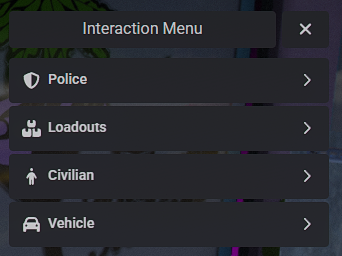
2 = ox_lib list/context menu
Use the radial version for a modern circular interaction menu, or the list version for a simple and clean ox_lib context menu.
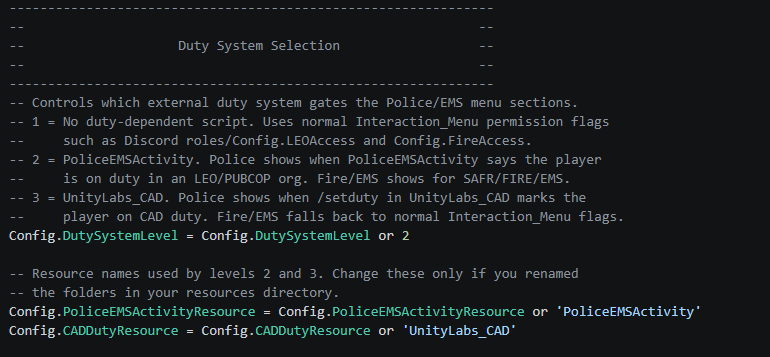
This resource supports multiple duty setups.
Config.DutySystemLevel = 1
Options:
1 = No external duty script
2 = PoliceEMSActivity support
3 = UnityLabs CAD /setduty support
This allows the Police and EMS sections to appear only when users are properly on duty, depending on your server setup.
Almost every feature can be enabled or disabled from config.lua.
Examples:
Config.MenuFeatures.ShowLEOPanicButton = true
Config.MenuFeatures.ShowLEOCuff = true
Config.MenuFeatures.ShowLEOSpikes = true
Config.MenuFeatures.ShowCivilianMenu = true
Config.MenuFeatures.ShowVehicleMenu = true
Want to disable LEO loadouts? Turn them off.
Want to remove the vehicle menu? Turn it off.
Want only Police and EMS tools? You can configure that too.
This version includes server-side checks for sensitive actions.
Protected actions include:
Panic
Cuff
Drag
Seat / unseat
Jail
Hospitalize / coroner
Loadouts
Hostage actions
Traffic light control
Civilian ads
This helps prevent players from simply triggering client events manually to abuse menu features.
Optional audit logging is included for important actions.
Webhook logging is handled safely through a server convar instead of being hardcoded inside the script.
Example:
set interaction_menu_webhook "YOUR_WEBHOOK_HERE"
Required:
ox_lib
Optional:
ox_target
PoliceEMSActivity
UnityLabs_CAD
Badger_Discord_API
The script is designed to work standalone with optional integrations depending on your server configuration.
server.cfg.Basic setup:
ensure ox_lib
ensure Interaction_Menu
With ox_target:
ensure ox_lib
ensure ox_target
ensure Interaction_Menu
With PoliceEMSActivity:
ensure ox_lib
ensure PoliceEMSActivity
ensure Interaction_Menu
With UnityLabs CAD:
ensure ox_lib
ensure UnityLabs_CAD
ensure Interaction_Menu
PoliceRP servers
DOJ-style servers
vMenu-based roleplay servers
Standalone FiveM servers
Semi-serious and serious RP communities
Servers using ox_lib and ox_target
Servers needing configurable Police, EMS, civilian, prop, and vehicle interactions
This Interaction Menu is built to give your players a smoother and more immersive roleplay experience while giving server owners full control over what features are enabled. With duty support, prop placement, spike strips, vehicle controls, loadouts, panic alerts, and powerful configuration options, it is a strong all-in-one interaction system for FiveM roleplay servers.
Our support team is available 24/7 on Discord to assist you with any questions.
Join Discord 24/7 Community SupportYour purchase is delivered automatically right after checkout. No waiting.
All transactions are processed through Tebex with enterprise-grade encryption.
Get all future updates and improvements included with your purchase at no extra cost.

Gift Interaction Menu and have it sent directly to their CFX.re account, so you don't have to transfer it after purchase.
